Usage
From the dashboard, choose Workspace settings → Usage to check solve credits and storage for the selected workspace.
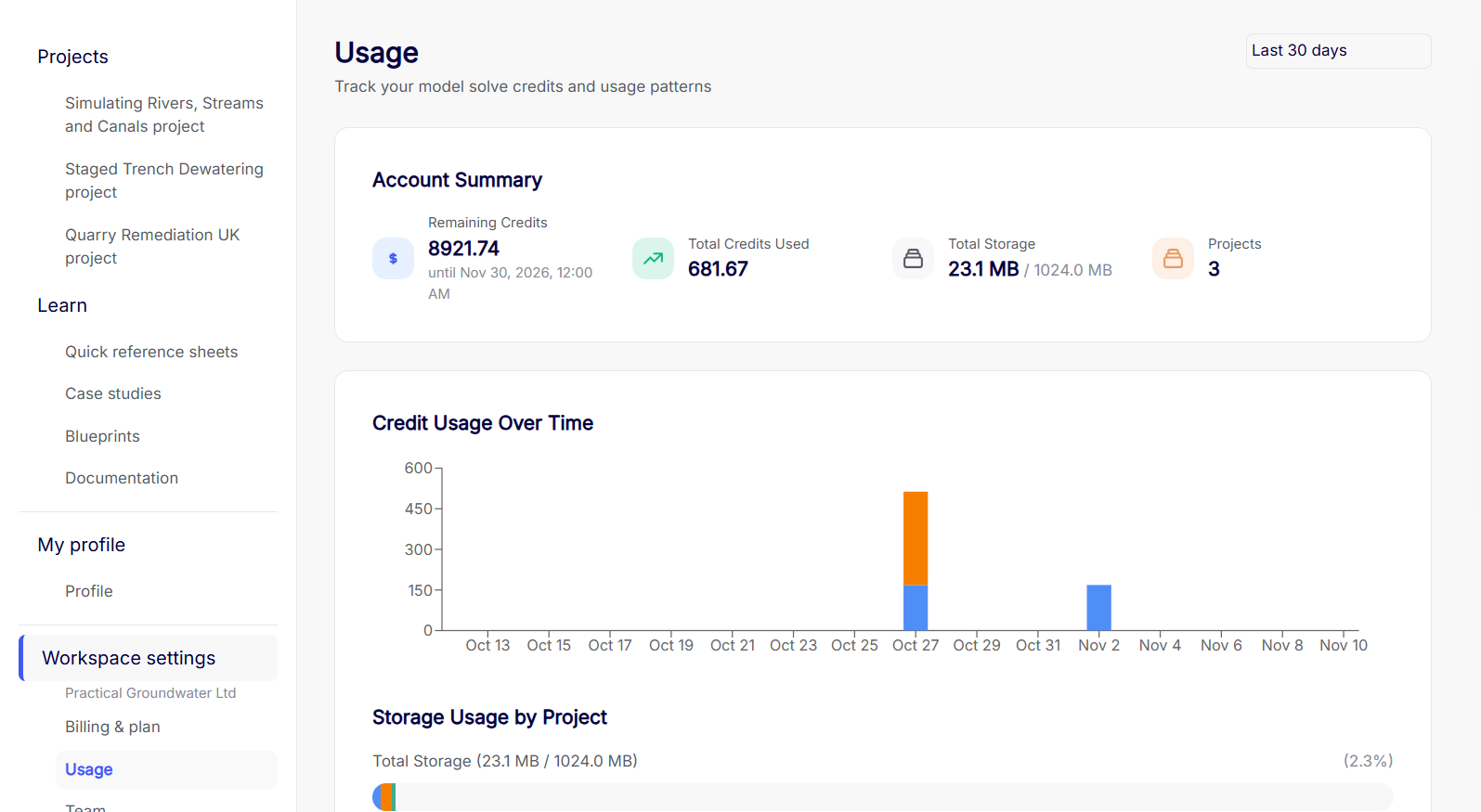
Usage period
Use the menu at the top right to choose Today, Last 7 days, Last 30 days, Last 90 days, or All time. The default is Last 30 days. This changes the solve activity shown. Storage figures show current usage.
Account summary
| Figure | What it shows |
|---|---|
| Remaining Credits | The credits still available for solves and the date shown for that balance. |
| Total Credits Used | Credits charged during the selected period. |
| Total Storage | Current space used against the workspace limit. |
| Projects | The current number of projects in the workspace. |
Credit usage over time
See how many credits were charged each day in the selected period.
How credits are used
Each model solve uses credits based on its equation count and number of time steps.
Credits per solve = (number of equations)² × number of time steps ÷ 1,000,000
For example, a solve with 1,000 equations and 5 time steps uses 5 credits.
Each subscription includes a monthly credit allowance. Unused monthly credits carry over to the following month and expire at the end of that month. Anaqsim uses rollover credits first, then the current month’s allowance, then purchased credits. Purchased credits stay available until used. They do not roll over or expire.
See Billing & plan to check each balance or buy additional credits.
Storage usage by project
Compare how much space each project currently uses.
Project summary
Scroll below the charts to compare Credits Used, Storage Used, Solves, and Last Solve by project. Projects deleted during the period can still appear with a (deleted) label.