Model Build
Select Model Build in the left sidebar to choose which model input to edit. A blue dot next to an item means its table contains data. Select the item to open it under Data Tables. An orange dot means the table has unsaved changes.
Click outside the data table to save your latest edit automatically. If you made the edit on the map, click outside the map window to save it.
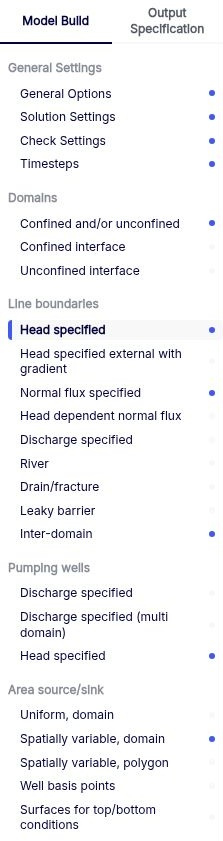
Detailed information on the inputs required for each data table is available at the following locations.
| Sidebar group | Documentation path |
|---|---|
| General Settings | Solve Options / General options, Solve Options / Solution and check settings, and Solve Options / Time steps |
| Domains | Model Build elements / Domains |
| Line boundaries | Model Build elements / Line boundaries |
| Pumping wells | Model Build elements / Pumping wells |
| Area source/sink | Model Build elements / Area source/sink |
See Model Build elements for the full list.